Step-by-step instructions for organizing job applications
HR departments receive numerous job applications that need to be organized by
position, department, or date. With Automatic PDF Processor, you can automatically
sort incoming applications into the appropriate folders and rename them consistently.
Typical use cases
- Sort applications by job position
- Organize by department or location
- Rename with applicant name and date
- Forward to hiring managers
- Create applicant database entries
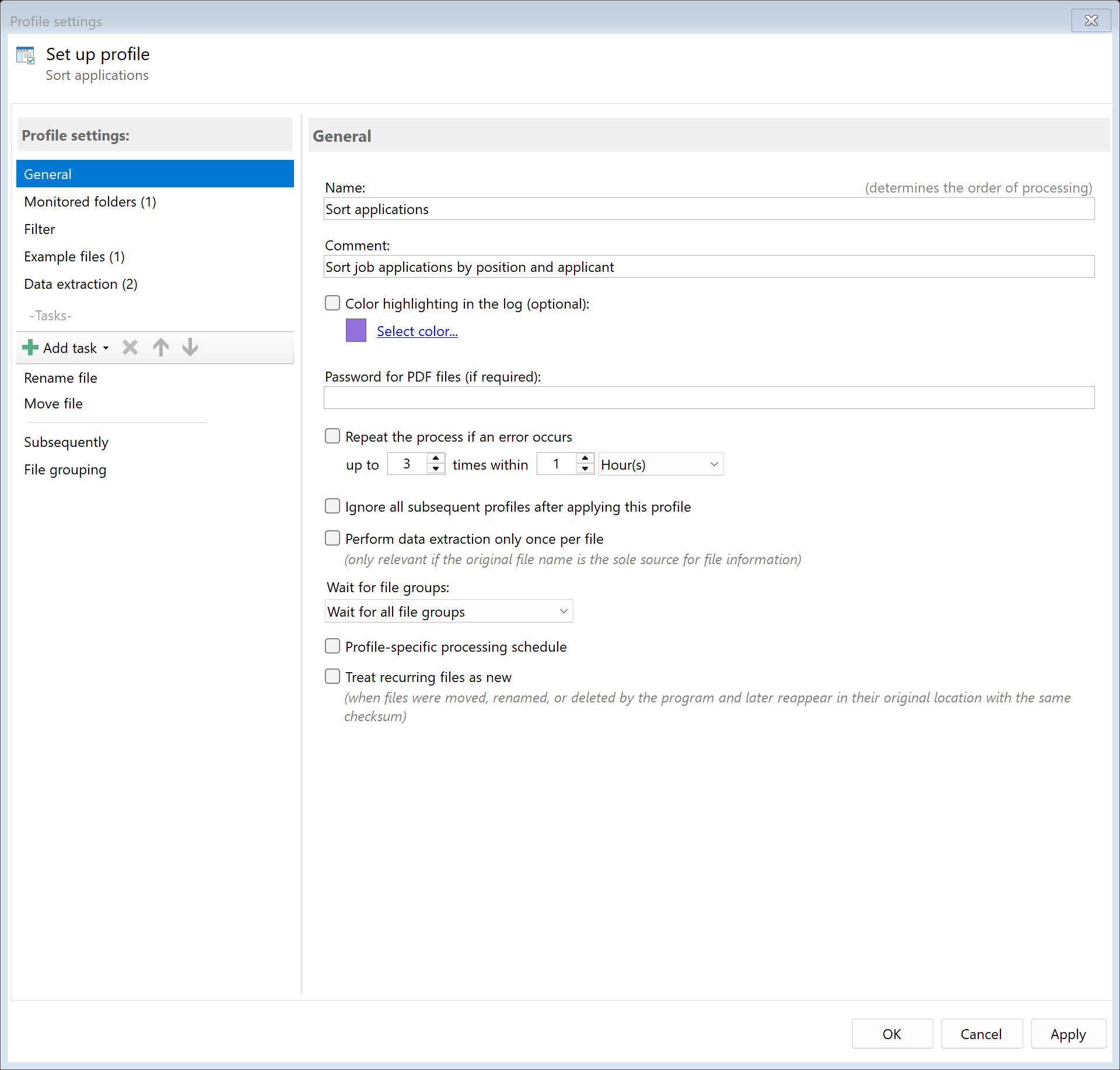
Step 1: Create a new profile
Create a new profile with a descriptive name such as "Sort applications".
Set up the monitored folder where incoming applications arrive (e.g., email attachment folder).
Step 2: Create extraction rules for applicant data
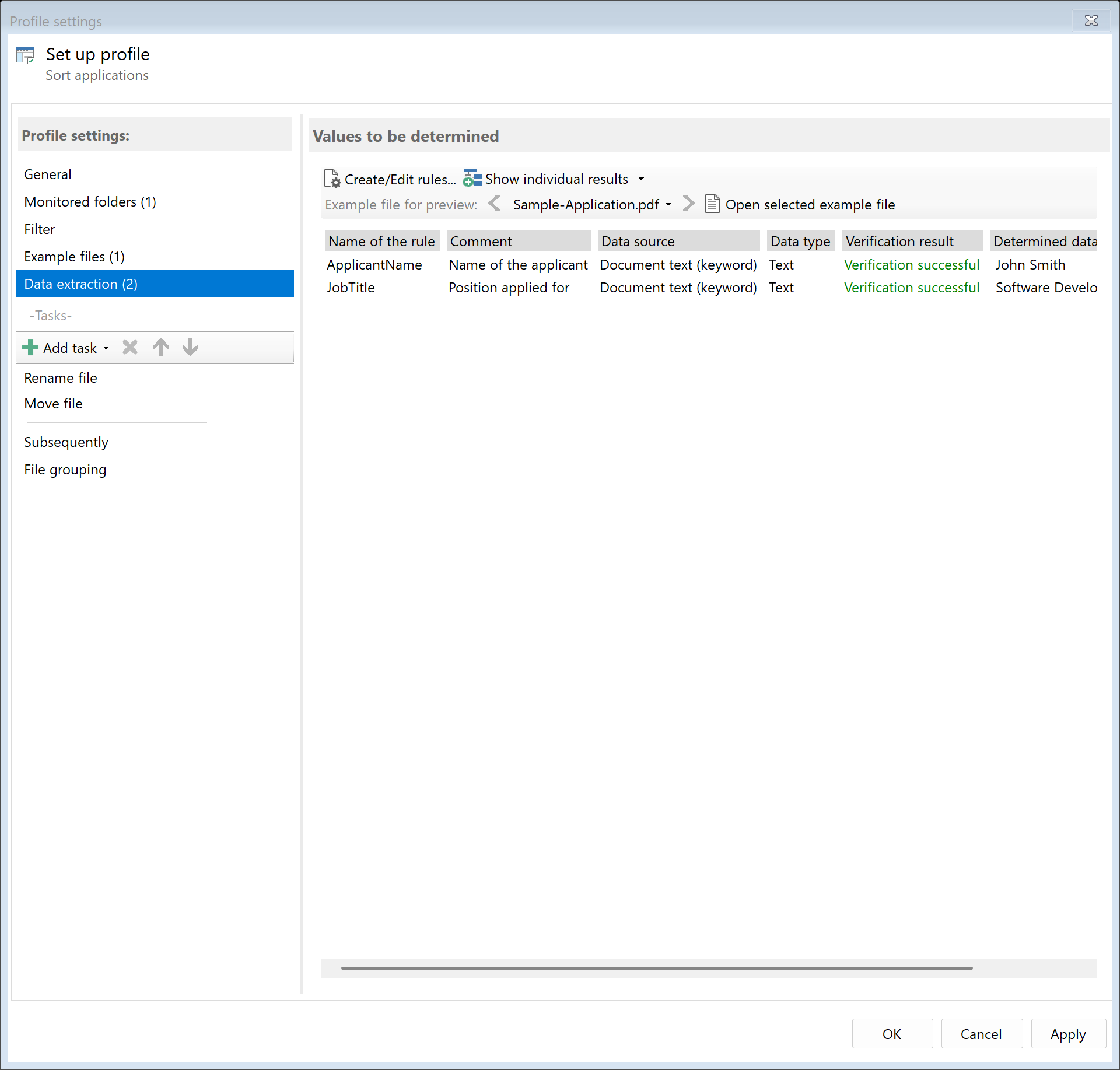
Create extraction rules to identify key information from applications:
- Applicant name: Full name from the cover letter
- Position: Job title being applied for
- Date: Application date or received date
- Email: Applicant's contact email (optional)
Use keyword-based extraction to find position references like "Application for"
or "Position:" followed by the job title.
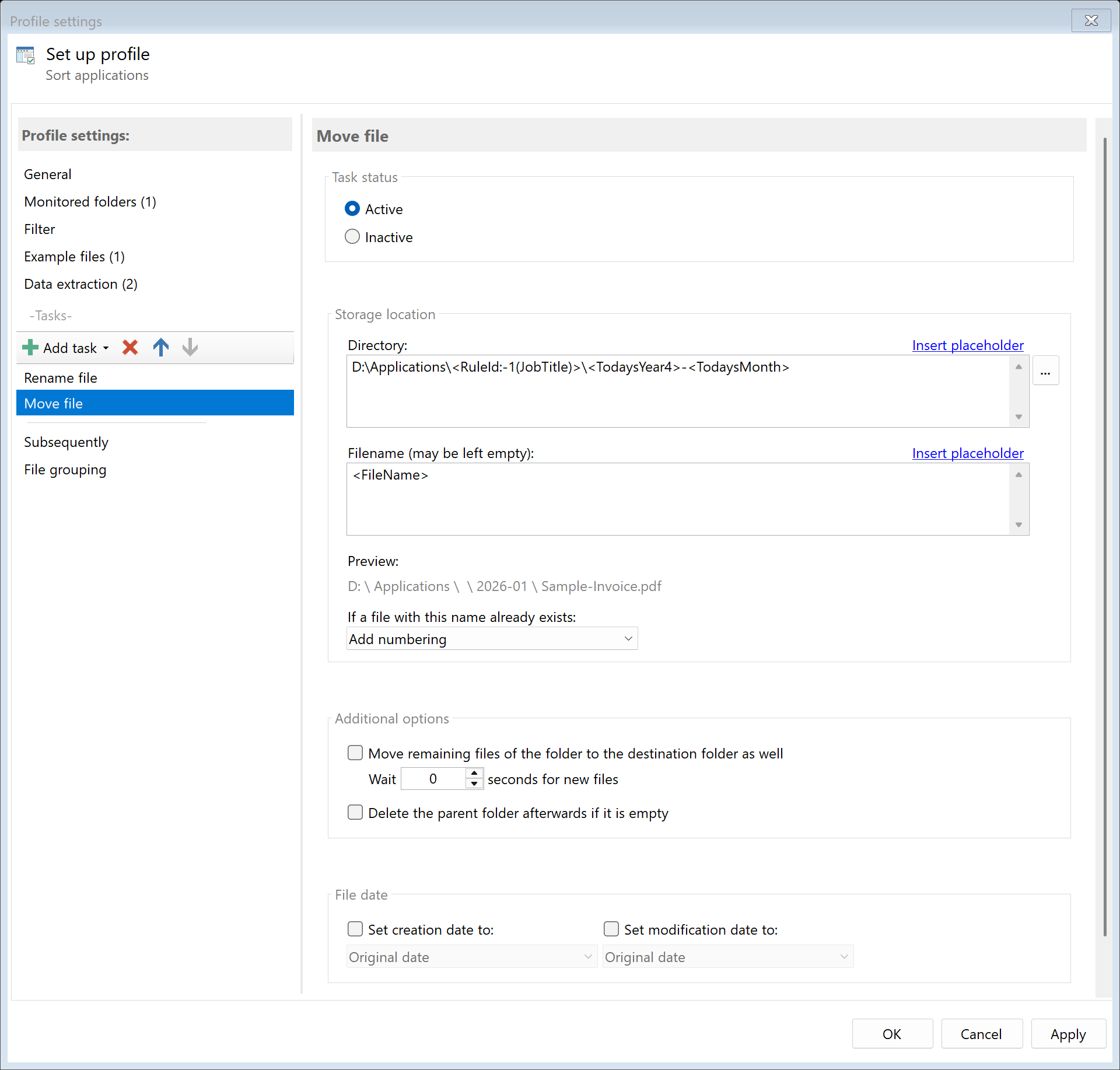
Step 3: Configure folder structure
Set up the destination folder structure using placeholders:
Example folder structures:
| Structure |
Path pattern |
Result |
| By position |
D:\Applications\<RuleId:2(Position)>\ |
D:\Applications\Software Developer\ |
| By date and position |
D:\Applications\<TodaysYear4>\<RuleId:2(Position)>\ |
D:\Applications\2024\Software Developer\ |
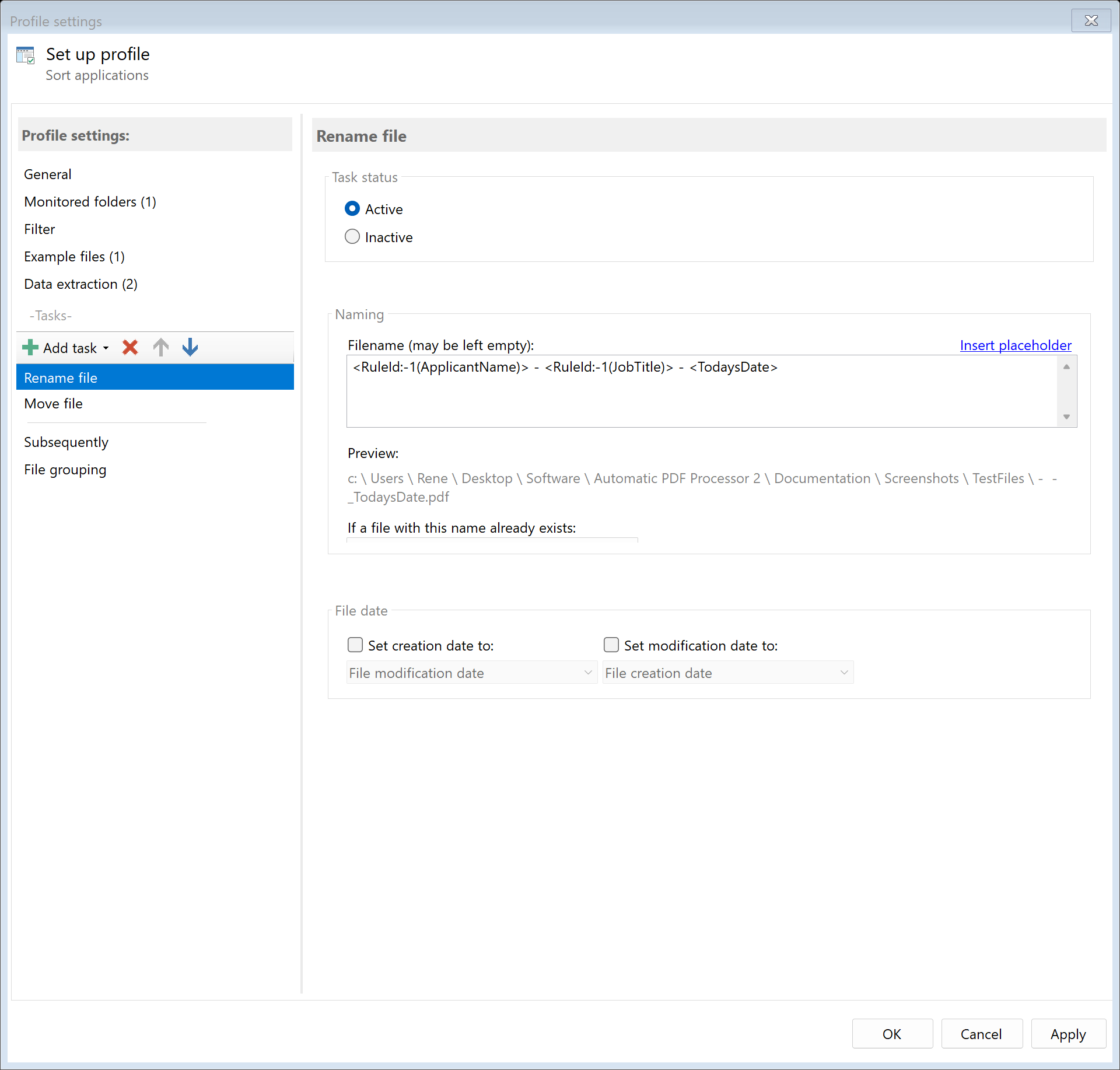
Step 4: Configure file naming
Create a consistent naming convention for applications:
<RuleId:1(Name)> - <RuleId:2(Position)>- Result:
John Smith - Software Developer.pdf
<TodaysDate>_<RuleId:1(Name)>- Result:
2024-01-15_John Smith.pdf
Step 5: Optional - Forward to hiring managers
Add the "Send Email" task to automatically forward applications:
- Use a CSV lookup to map positions to hiring manager emails
- Configure personalized email templates
- Attach the original application
Step 6: Optional - Create applicant log
Use the "Save Extractions" task to create a CSV file tracking all applications:
- Applicant name
- Position applied for
- Date received
- File path
Result
After configuration, all incoming applications are automatically:
- Applicant information extracted
- Renamed with consistent naming
- Sorted into position-specific folders
- Optionally forwarded to hiring managers
- Logged in an applicant tracking spreadsheet