Step-by-step instructions for converting PDF to PDF/A
PDF/A is an ISO-standardized format specifically designed for long-term archiving
of electronic documents. It ensures that documents remain readable and visually
identical even after many years.
Video tutorial: Automatically convert PDF files to PDF/A (with narration and optional subtitles)
Why PDF/A?
- ISO-standardized archive format (ISO 19005)
- Self-contained documents with embedded fonts
- No external dependencies
- Required for many compliance regulations
- Long-term readability guaranteed
Step 1: Create a new profile
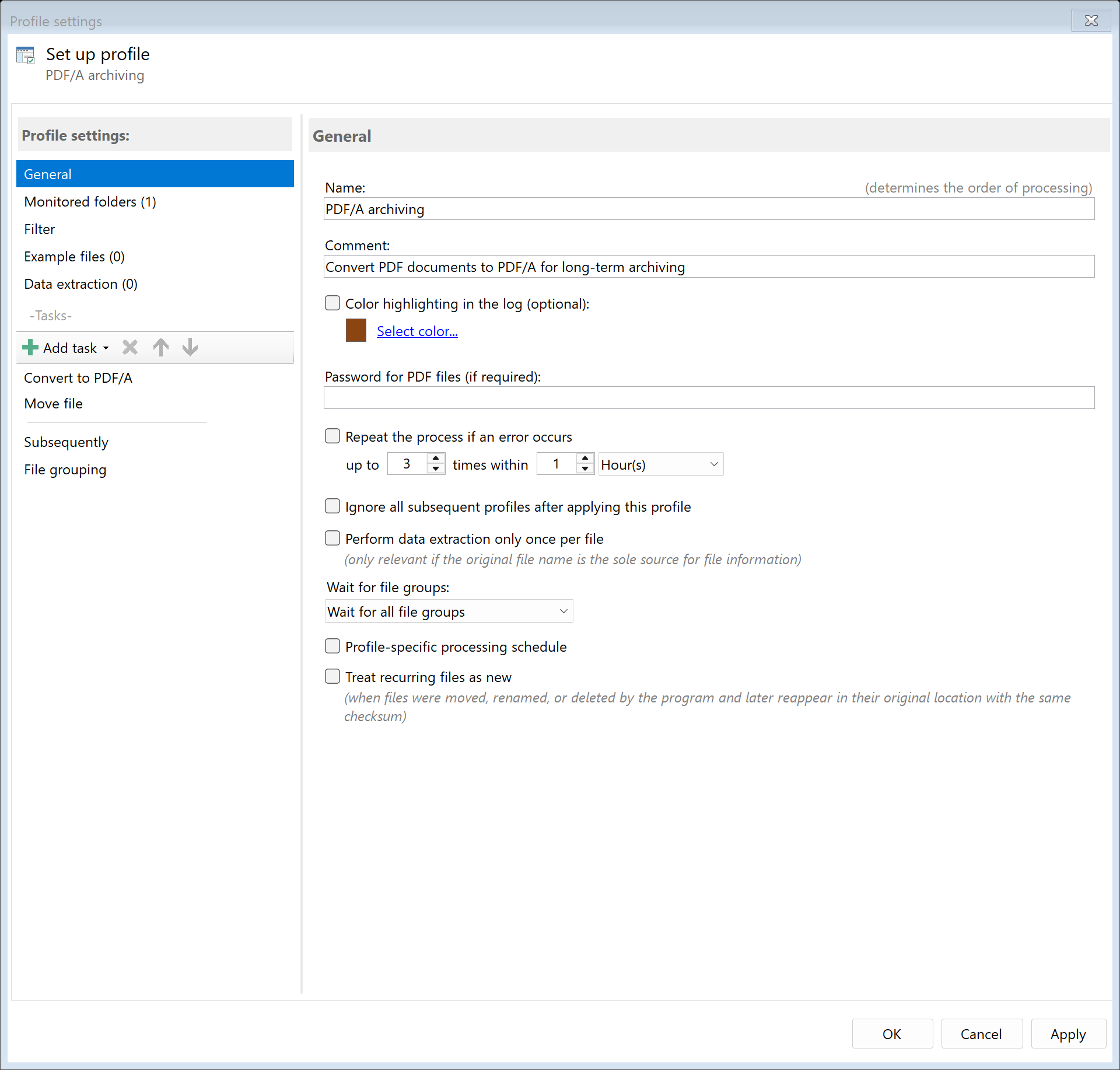
Create a new profile with a descriptive name such as "Convert to PDF/A".
Set up the monitored folder where documents for archiving are placed.
Step 2: Activate the "Convert to PDF/A" task
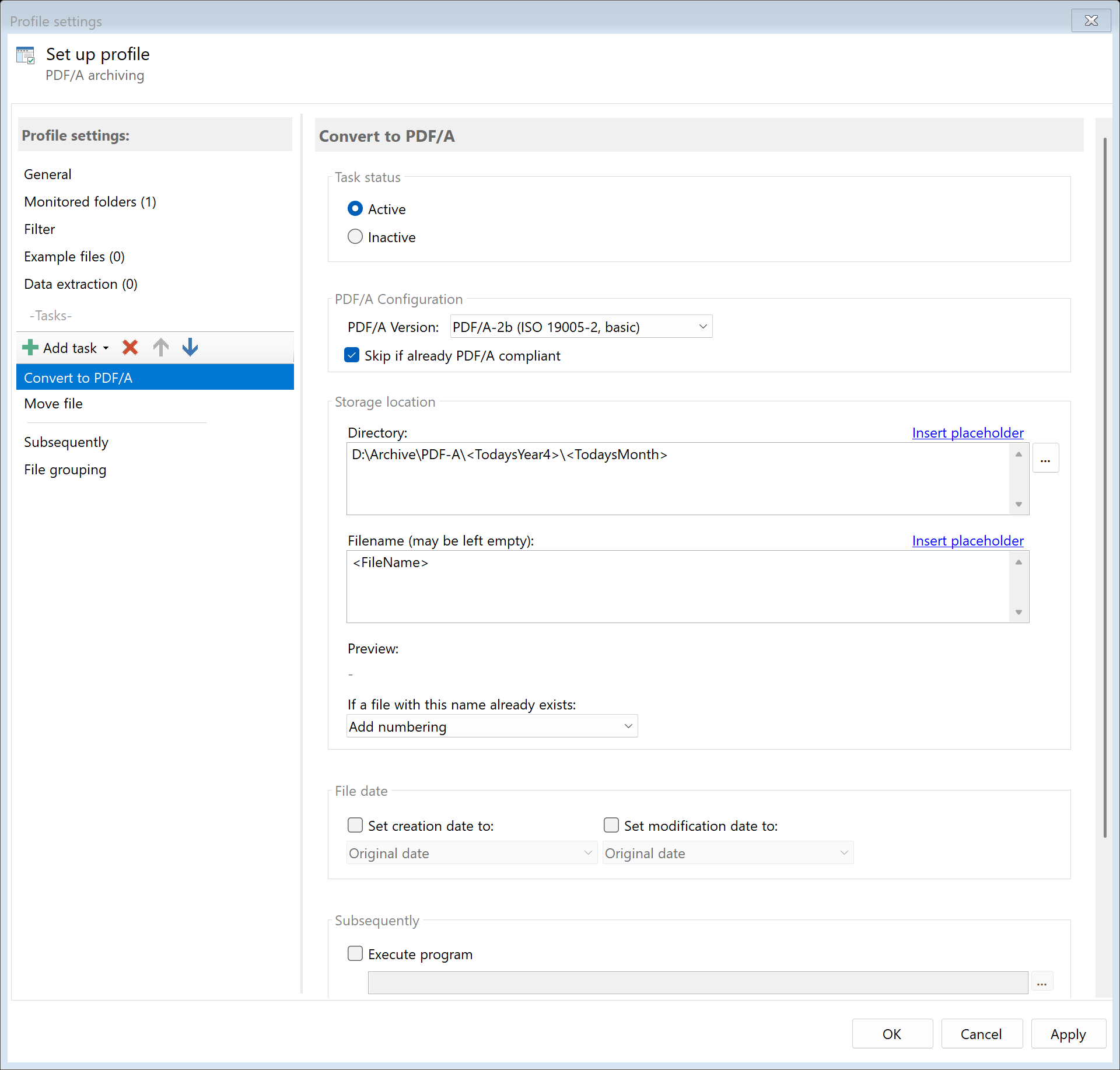
Go to the task view and select the "Convert to PDF/A" task.
Activate the task and configure the conversion settings.
Step 3: Select PDF/A conformance level
Choose the appropriate PDF/A conformance level:
| Level |
Description |
Use case |
| PDF/A-1a |
Full conformance with tagged structure |
Accessible documents |
| PDF/A-1b |
Basic visual preservation |
General archiving |
| PDF/A-2a |
Enhanced features, tagged |
Modern accessible archives |
| PDF/A-2b |
Enhanced features, basic |
Modern archives |
| PDF/A-3a |
Allows embedded files, tagged |
ZUGFeRD invoices |
| PDF/A-3b |
Allows embedded files, basic |
Documents with attachments |
Recommendation: Use PDF/A-2b for general archiving or PDF/A-3b
when you need to embed attachments.
Step 4: Configure font handling
PDF/A requires all fonts to be embedded. Configure how missing fonts are handled:
- Embed missing fonts: Automatically embed fonts that aren't included
- Substitute fonts: Replace unavailable fonts with standard alternatives
- Fail on missing: Reject documents with non-embeddable fonts
Step 5: Handle non-compliant content
Some PDF features are not allowed in PDF/A. Choose how to handle them:
- Transparency: Flatten transparent elements
- JavaScript: Remove interactive scripts
- External references: Remove or embed external content
- Encryption: Remove password protection
Step 6: Configure storage location
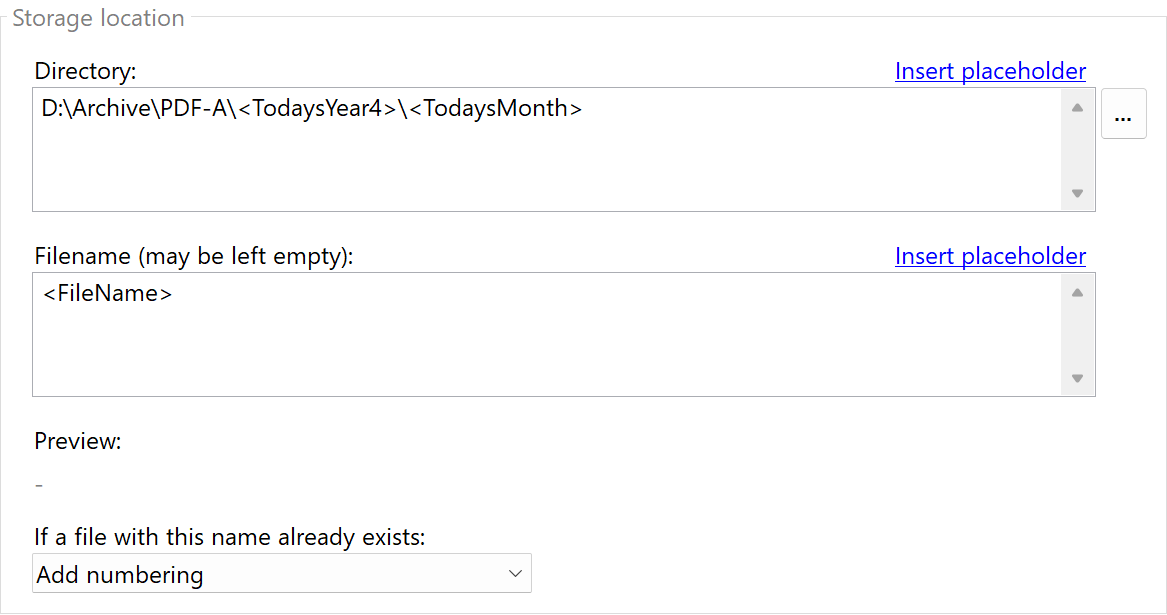
Specify where the converted PDF/A documents should be saved.
A meaningful folder structure makes it easier to find documents later:
D:\Archive\PDF-A\<TodaysYear4>\<TodaysMonth>
Alternatively, you can overwrite the original file directly if you only need the PDF/A version.
Result
After configuration, all PDF files placed in the monitored folder are automatically:
- Analyzed for PDF/A compliance
- Fonts embedded as needed
- Non-compliant content handled
- Converted to the specified PDF/A level
- Saved as archive-ready documents