12 Save Visualization as PDF
12.1 Overview 
The Save visualization as PDF task generates a readable PDF visualization from the invoice data - a neatly formatted invoice view with sender/recipient, invoice header, line item table, totals, and payment information - and saves it at the configured target. This is particularly valuable for XRechnung files, which as plain XML are not human-readable.
Sub-lines (ZUGFeRD 2.5 EXTENDED, e.g. bundles or subtotals) are shown indented below their main line in the line item table; for GROUP and INFORMATION lines without a tax rate of their own, the VAT column stays empty. The totals always come from the invoice itself (see chapter 50.2.2).
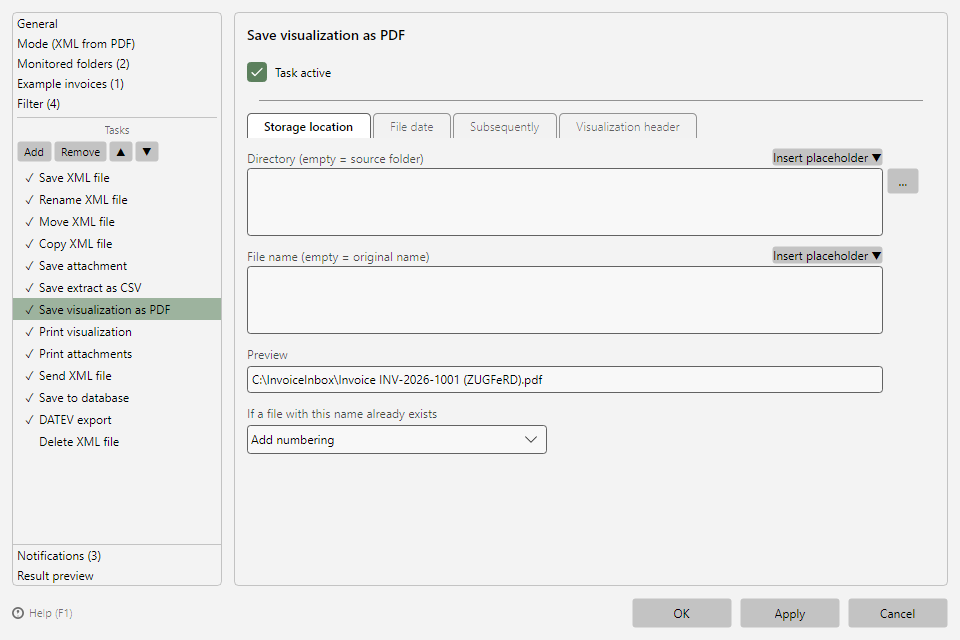 Save visualization as PDF task with storage location and visualization header
12.2 "Storage location" tab 
Layout and conflict behavior as for all saving tasks (see chapters 9.2 and 9.3). The File date and Subsequently tabs are available as well (see chapters 9.4 and 9.5); the timestamps of the source invoice file serve as the "original date".
12.3 Visualization header 
Optionally, every page of the visualization gets a header with three freely configurable text areas (Left, Center, Right) - e.g. for an inbox-stamp or processing note. Multi-line texts are possible; placeholders are not resolved in the header.
Note: The same visualization is also used by the Print file task (see chapter 15) and by Send file ("Include visualization PDF", see chapter 17).